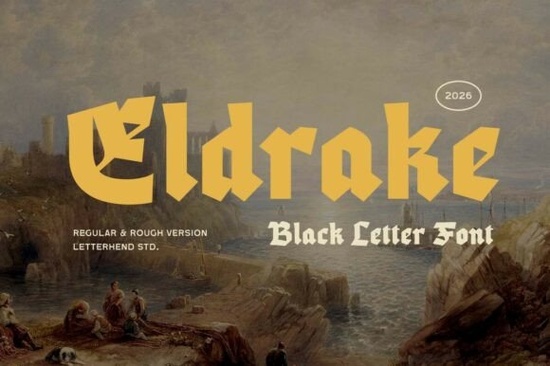
If you're looking for a blackletter font that feels grounded in history but still works well in modern designs, the Eldrake Font is worth your attention. It’s not overly ornate or hard to read instead, it balances bold medieval character with clean lines and consistent spacing. Whether you’re designing a book cover, crafting a logo for a fantasy-themed small business, or preparing files for print-on-demand apparel, Eldrake holds up without needing heavy editing or workarounds.
What makes Eldrake different from other blackletter fonts?
Many blackletter typefaces lean heavily into historical accuracy think intricate ligatures, uneven stroke weights, or tight letterfitting that can make them tricky for body text or small sizes. Eldrake avoids those pitfalls. Its structure is purposefully simplified: vertical stress is clear, counters are open, and lowercase letters (yes, it includes a full lowercase set) maintain legibility even at 14pt. That makes it more versatile than fonts like Ravencrest Font, which leans deeper into gothic ornamentation.
You’ll also notice subtle modern touches like slightly rounded terminals and balanced x-height that help it pair well with sans-serif or slab-serif companions. It’s the kind of font you might use for a brewery logo (“Ironwood Mead Hall”), a D&D campaign poster, or even a minimalist wedding invitation where you want weight and presence without visual noise.
Who uses Eldrake and where does it fit best?
Designers working on branding for niche markets especially fantasy, historical reenactment groups, metal bands, or artisanal goods often reach for Eldrake when they need something that reads as “timeless,” not “costume-y.” Crafters appreciate how cleanly it cuts on Cricut or Silhouette machines, especially in SVG or OTF formats included with the download. Print-on-demand sellers find it reliable across platforms like Redbubble or Teespring because its boldness translates well to screen printing and heat transfer without pixelation or thin-line dropout.
Small businesses using Canva or Adobe Express also benefit: Eldrake comes with OpenType features like stylistic alternates and ligatures, but you don’t need advanced software to get good results. Even basic text tools handle it smoothly thanks to its consistent metrics and generous side bearings.
How does it compare to similar fonts on Creative Fabrica?
Compared to Ravencrest Font, Eldrake trades some decorative complexity for broader usability think less script-like swirl and more architectural solidity. Where Ravencrest shines in editorial headlines or ornamental borders, Eldrake excels in logos, signage, and short-form messaging where clarity matters.
And if you’ve tried other blackletter fonts that feel cramped or hard to kern, you’ll likely find Eldrake’s spacing more intuitive right out of the box. It doesn’t require manual tracking adjustments for most standard uses, and its uppercase-heavy aesthetic still supports mixed-case layouts without looking disjointed.
Practical tips before you download
- Test readability early: Try setting a sentence in both uppercase and title case at 24pt and 36pt see how it holds up on screen and in mockups.
- Pair thoughtfully: A neutral sans-serif like Montserrat or Lato works well as a supporting font. Avoid other decorative or high-contrast typefaces unless you’re aiming for deliberate contrast.
- Check file formats: The Eldrake Font package includes OTF, TTF, and web-ready WOFF so whether you're designing in Illustrator, cutting vinyl, or building a Shopify store, you’ll have what you need.
- License awareness: Like most Creative Fabrica fonts, Eldrake allows commercial use including merch and digital products as long as you follow their standard license terms. No extra fees for POD or client work.
If you’re already exploring blackletter options, it’s worth comparing Eldrake side-by-side with alternatives. You can preview it live on Creative Fabrica or test it in your usual workflow before committing. And if you like its balance of strength and simplicity, you might also want to check out Eldrake Font directly it’s one of the more consistently rated blackletter fonts in this category for good reason.
Next step: Open a blank document, type “The Old Gate Stands” in Eldrake at 48pt, then try pairing it with a simple sans-serif at 18pt underneath. If it feels cohesive not fussy, not bland you’ve probably found your next go-to display font.
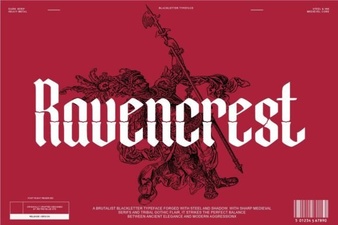 Ravencrest Font: Bold, Elegant Design for Creative Projects
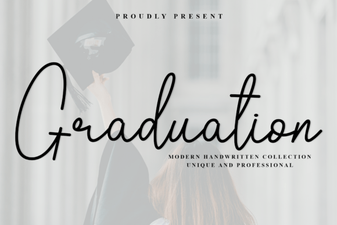 Elegant Graduation Fonts for Your Big Day
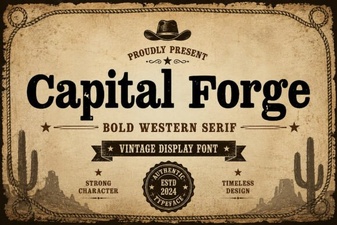 Capital Forge Font: Bold Design & Creative Projects
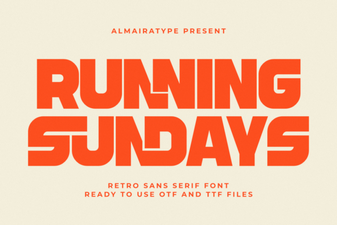 Running Sundays Font: a Playful, Dynamic Typeface for Runners
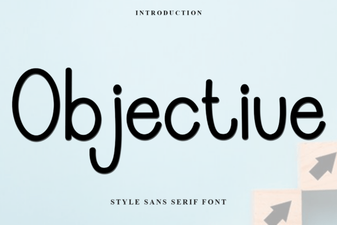 Objective Font: Clean, Versatile Design for Modern Projects
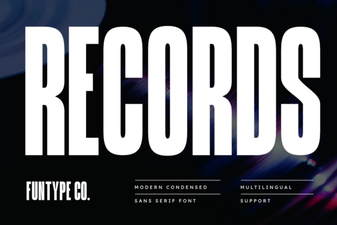 Records Font: Creative Typography for Design Projects